Can asset lifecycle management automation reduce unplanned downtime?




Yes. Asset lifecycle management automation can reduce unplanned downtime when it connects equipment history, condition data, maintenance planning, spare parts, and service execution in one working process. It does not prevent every failure, but it gives after-sales maintenance teams earlier warning, better task priority, and a clearer basis for deciding when to inspect, repair, replace, or continue operating an asset.
The practical difference appears when a machine begins showing small changes: rising vibration, repeated alarm resets, longer cycle times, abnormal temperature, or frequent requests for the same spare part. Without connected lifecycle information, these signals may remain in separate systems or service conversations. Automation turns them into maintenance actions before a minor issue develops into a production stoppage.
Why unplanned downtime is difficult to control
Unexpected downtime is rarely caused by a single missing maintenance task. It often develops through a combination of incomplete asset records, delayed communication, inconsistent inspections, and uncertain parts availability. A technician may know that a machine has failed before, while the scheduling team sees only an open service request. The equipment owner may have operating data, but no direct view of whether the current condition is different from its normal pattern.
This fragmented information creates several operational problems:
- Recurring faults are treated as separate incidents instead of one developing failure mode.
- Preventive maintenance is scheduled by calendar date even when actual operating hours or load conditions differ.
- Service teams arrive without the correct spare parts, tools, drawings, or previous repair notes.
- Critical assets receive the same response priority as equipment with limited production impact.
- Maintenance records are completed after the event but are not used to improve future decisions.
Automation addresses these weaknesses by creating rules around asset data and service workflows. The value comes less from sending more alerts and more from linking an alert to a responsible person, a required action, an expected completion time, and the information needed to perform the work.
Where automation has the greatest effect
1. Establishing a reliable asset history
Every major industrial asset should have a usable lifecycle record from commissioning through service, modification, overhaul, and retirement. The record may include model and serial number, installation date, operating location, drive or motor details, control components, warranty status, maintenance intervals, fault codes, inspection results, and replaced parts.
This information is especially important for equipment supported across multiple customer sites. A service team can compare the current problem with earlier repairs, identify components that have been replaced repeatedly, and avoid asking the site to repeat basic information. Accurate asset identity also prevents a common administrative error: assigning the wrong maintenance plan or spare part to a similar-looking machine.
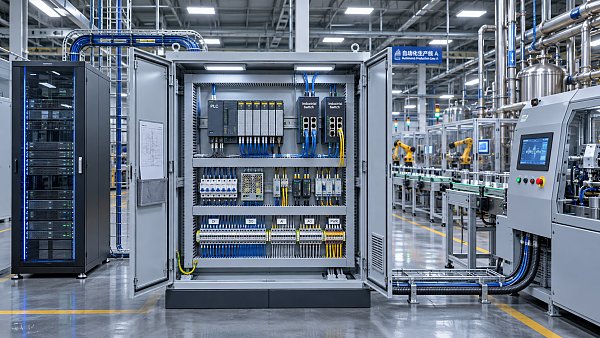
Automation can create the asset record during installation, update it when a work order is closed, and require key fields before the record is considered complete. It can also connect parent and child assets, such as a production line, robot cell, gearbox, motor, sensor, and control cabinet. This relationship helps teams determine whether a local component fault is likely to affect the wider system.
2. Moving from fixed schedules to condition-based decisions
Calendar-based maintenance remains useful for tasks such as lubrication, safety inspection, and statutory checks. It becomes less effective when asset use varies significantly. Two machines of the same model may experience different loads, cycle counts, temperatures, or operating environments. Treating them as identical can lead to unnecessary service on one machine and late intervention on another.
Condition monitoring adds operational evidence. Depending on the equipment, useful inputs may include vibration, bearing temperature, oil condition, motor current, pressure, flow, energy consumption, alarm frequency, cycle time, or control-system diagnostics. The data does not need to be complex to be helpful. A sustained change from the machine’s normal operating pattern may be more relevant than a single value crossing a generic limit.
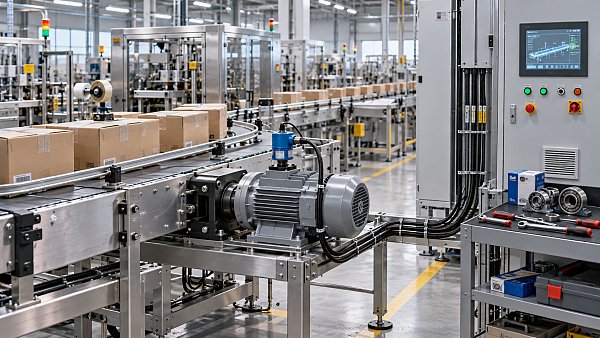
Automation can apply different rules to different asset classes. A high-value compressor may require an immediate engineering review when vibration changes over a defined period. A conveyor motor may create a planned inspection when temperature and current rise together. A sensor with unstable readings may first trigger a data-quality check rather than a major mechanical repair.
That distinction prevents alert fatigue. When every abnormal signal becomes an emergency, technicians stop trusting the system. Rules should therefore define severity, persistence, operating context, and the effect on production before creating a high-priority task.

How automated service workflows reduce failure exposure
A warning only reduces downtime when it leads to a timely and suitable response. The workflow should guide the issue from detection to verification and closure.
- Detect the change. A sensor, controller, inspection form, operator report, or service request identifies an abnormal condition.
- Validate the signal. The system checks whether the reading is persistent, whether another sensor confirms it, and whether the asset is operating under an unusual load or process condition.
- Classify the risk. The issue is ranked according to safety implications, production criticality, failure history, customer commitments, and the likely time before function is lost.
- Create the work package. The work order includes symptoms, asset identity, diagnostic information, task instructions, estimated skills, tools, and parts.
- Assign and schedule. The responsible service team receives the task according to location, capability, response requirements, and available time.
- Confirm the result. The technician records the cause, action taken, parts used, measurements, and operating condition after repair.
This sequence helps eliminate a frequent source of delay: multiple handoffs between operations, technical support, spare parts control, and field service. It also creates a more useful distinction between “alert received,” “work started,” “temporary adjustment made,” and “failure cause removed.” Closing a work order because the alarm disappeared is not the same as confirming that the underlying problem has been corrected.
Spare parts planning is part of downtime prevention
A maintenance strategy can identify a developing failure and still lose production time if the required component is unavailable. Lifecycle automation connects failure patterns with inventory and procurement decisions. The system can show which parts are installed on critical assets, how often they are consumed, whether equivalent parts are approved, and whether a component is approaching an expected replacement interval.
For after-sales service, this is useful in two directions. First, a condition alert can prompt a check of local inventory before a technician is dispatched. Second, repeated work orders can reveal that a part should be stocked at a site, regional depot, or service vehicle rather than ordered only after failure.
Parts planning should not rely on failure frequency alone. A low-cost component with a long lead time may deserve attention, while a frequently used item may be easy to source locally. The relevant decision usually combines:
- Asset criticality and the consequence of stopping the process;
- Supplier lead time and alternative sourcing options;
- Part compatibility and revision level;
- Storage conditions and shelf-life requirements;
- Repairability, exchange-unit availability, and technician skill;
- Whether the component failure creates a secondary risk for connected equipment.
Automated replenishment can support these decisions, but it should not blindly increase stock. Inventory rules need review when equipment configuration changes, production patterns shift, or a recurring failure is eliminated through design improvement.
Use failure history to improve maintenance decisions
Service records often contain more useful information than organizations realize, but only when the records are structured consistently. “Motor problem” is difficult to compare across sites. A better record separates the observed symptom, confirmed failure mode, root cause, corrective action, affected component, operating conditions, and follow-up requirement.
Once service data is organized, maintenance teams can look for patterns such as repeated overheating under a particular load, premature seal wear in a contaminated environment, loose connections after installation, or repeated sensor replacement caused by an unstable power supply. The correct response may not be another replacement. It could involve alignment, guarding, software adjustment, environmental protection, operator instruction, or a design change.
Automated analysis can flag repeat failures and link them to the same asset family, component revision, installation method, or operating condition. Human technical review remains necessary because the same symptom can have different causes. The purpose of automation is to focus attention and preserve evidence, not to remove engineering judgment.
What to automate first
Teams do not need to digitize every maintenance activity before seeing value. A focused rollout is often easier to control. Begin with assets where an unexpected stop has a clear operational consequence and where basic data is available.
A sensible starting sequence is:
- Select critical asset groups. Rank equipment by production impact, safety exposure, repair difficulty, replacement cost, and lead time for critical parts.
- Clean the asset register. Remove duplicate records, confirm serial numbers, map locations, and verify the relationship between machines and major components.
- Define a small set of failure signals. Choose signals that technicians understand and can act on, rather than collecting every available measurement.
- Set response rules. Specify who receives each alert, how quickly it must be reviewed, and what evidence is required before escalation.
- Connect work orders with parts and skills. Make preparation part of the workflow, not an informal step after assignment.
- Review closed jobs. Check whether the recorded cause and repair information is detailed enough to improve the next maintenance decision.
The first objective should be a dependable process, not an impressive dashboard. A simple alert that reliably produces a prepared inspection can be more valuable than a complex monitoring platform that generates unreviewed notifications.
Limits that maintenance teams should recognize
Automation cannot compensate for poor sensor placement, incorrect thresholds, missing asset data, weak inspection practices, or an unclear ownership model. A system may show that a temperature is rising without explaining whether the cause is overload, blocked airflow, lubrication failure, ambient conditions, or a faulty sensor.
Data quality also changes across the asset lifecycle. A newly installed machine may have limited history. A refurbished machine may contain components with a different age profile from the original equipment. Software updates, process changes, and mechanical modifications can make older baselines unreliable. Thresholds and maintenance rules should therefore be reviewed after major changes.
There are also cases where automated intervention should be restricted. Safety-critical equipment, high-energy systems, pressure equipment, and complex control functions may require a qualified person to verify the condition before operation continues. An automated work order can support that review, but it should not authorize a risky bypass or assume that a temporary reset has restored safe performance.
How to tell whether the process is improving
Unplanned downtime should not be measured only by the number of alerts generated. More useful indicators connect maintenance activity with readiness and failure exposure:
A rise in planned maintenance work is not automatically a negative result. It may indicate that the team is acting earlier instead of waiting for breakdowns. The more important question is whether planned interventions are better targeted and whether emergency interruptions become less frequent or less disruptive.
In practical terms, asset lifecycle management automation reduces unplanned downtime by shortening the distance between an early warning and a well-prepared maintenance action. Its strongest results come from accurate asset records, meaningful condition signals, risk-based prioritization, parts readiness, and disciplined service closure. When those elements operate together, after-sales maintenance teams can spend less time reconstructing what happened and more time controlling what is likely to happen next.
Related News
 MSHA Issues Mine Truck Safety Alert After One Death and 121 InjuriesMining Infrastructure ExpertMSHA mine truck safety alert reports one death and 121 lost-time injuries. Discover why mine operators should review safety practices.
 How to size a crushing plant for ore processingMining Infrastructure ExpertSize your ore processing equipment crushing plant with confidence. Learn how to calculate throughput, assess ore characteristics, and prevent bottlenecks.
 Trump Administration Rewrites Mining Policy to Spur Critical Minerals DevelopmentMining Infrastructure ExpertU.S. critical minerals mining policy is changing. Explore what faster approvals could mean for investment, equipment demand and supply chains.
 How IEC 62443 defines security zones for industrial communication systemsRobotics EngineerExplore industrial communication systems and IEC 62443: learn how security zones, conduits, and risk-based controls help protect plant operations.
 China-Peru Trade Agreement Upgrade Takes Effect, Easing Machinery CertificationConstruction Equipment SpecialistThe China-Peru trade agreement upgrade simplifies machinery certification. Discover what mutual recognition could mean for exporters entering Peru.
 How do industrial control systems regulate water treatment?Robotics EngineerDiscover how industrial control systems in water treatment use sensors, PLCs, and SCADA to regulate processes and help operators respond to changing conditions.
 Exotec Report: 25% of Supply Chain Leaders Regret Warehouse Automation DecisionsRobotics EngineerWarehouse automation regret affects 25% of surveyed supply chain leaders, according to Exotec. Explore the cost, contract and readiness risks before investing.
 How to set maintenance intervals for mining equipment in AustraliaMining Infrastructure ExpertMining equipment maintenance Australia: Learn how to set service intervals using operating hours, site conditions and equipment data to reduce downtime.
 EY Survey Ranks Complexity as Mining's Top Risk for 2027Mining Infrastructure ExpertMining risk in 2027 is led by complexity, EY's survey finds. Discover how aging mines, declining ore grades and supply chain pressures are reshaping the industry.
 Can asset lifecycle management automation reduce equipment downtime?IEG Heavy Machinery & Automation AnalystDiscover how asset lifecycle management automation can reduce equipment downtime through timely maintenance, faster repairs, and smarter service workflows.
 Caterpillar Q3 2026 Revenue Rises 17% to $20.7 Billion as Both Equipment Segments GrowConstruction Equipment SpecialistCaterpillar Q3 2026 revenue reportedly rose 17% to $20.7 billion. Explore equipment segment growth and what it could mean for procurement planning.
 How to choose a rugged industrial control panel for wet environmentsRobotics EngineerChoose a rugged industrial control panel for wet environments. Compare IP ratings, materials, seals, and condensation control to improve reliability.